Your tracks and the reference, on one screen
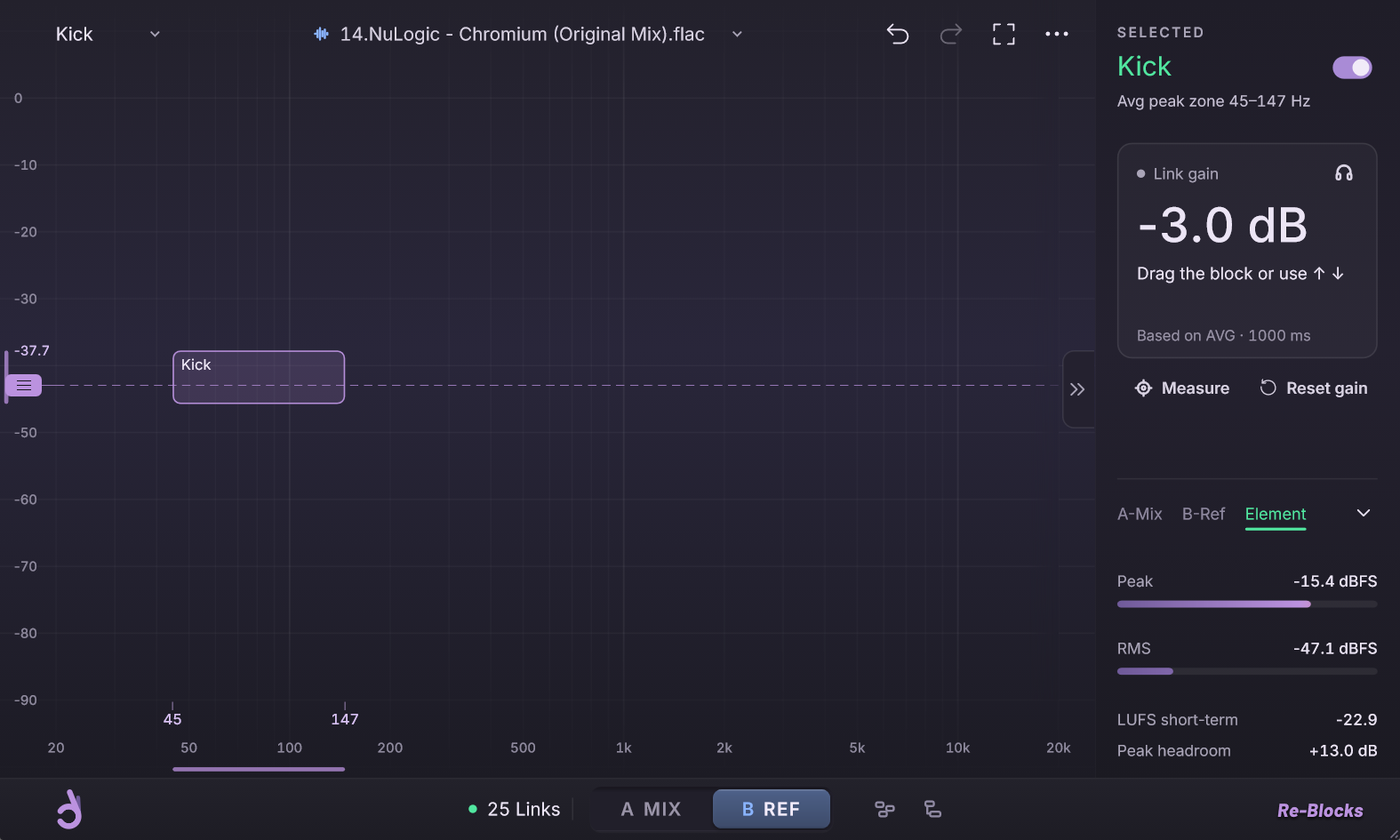
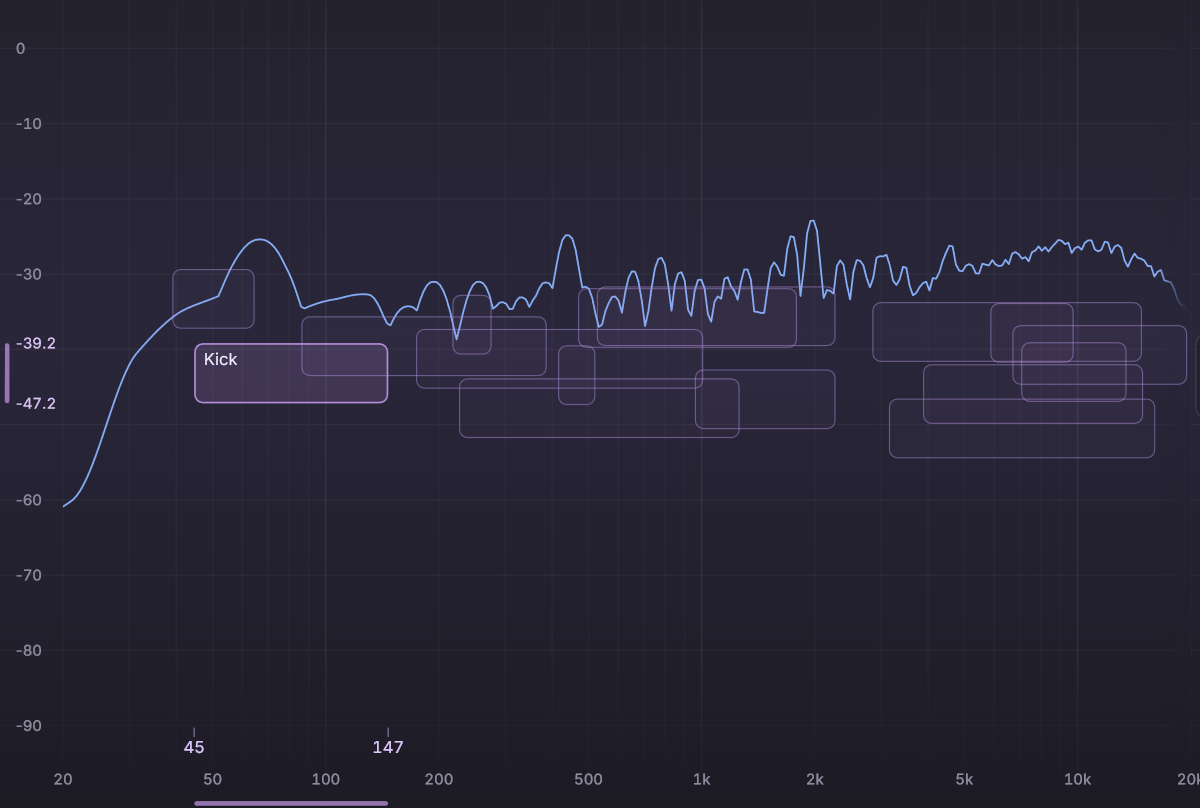
Re-Blocks stands for reference blocks. Every track becomes a block on the same spectrum as the song you're chasing. Drag a block to set that track's level, then press A/B to hear both at the same calibrated loudness.
Re-Blocks beta. Details may change before launch.
Set up in three steps
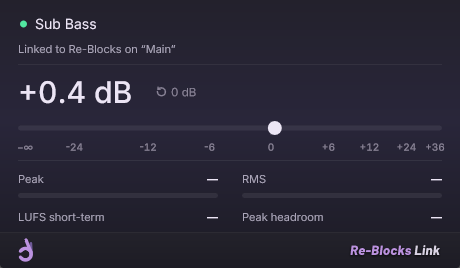
Re-Blocks sits on your master. A small companion, Re-Blocks Link, goes last in each track's plugin chain, after all the processing.
1 · Put a Link on every track
Load Re-Blocks Link last on each track. It reads the track name, so a track called “Kick” shows up as Kick.
2 · Load a reference
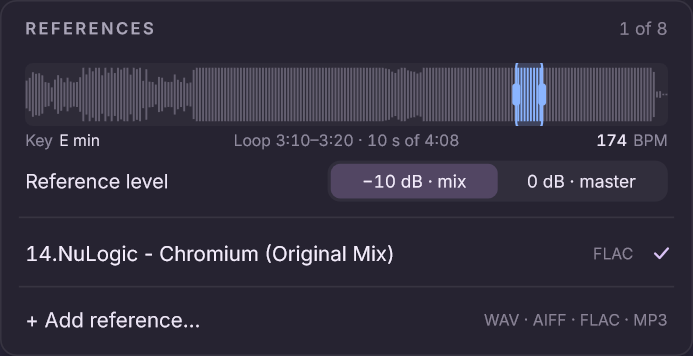
Drop in a WAV, AIFF, FLAC or MP3 and drag the loop to the part you want. It plays at −10 dB and shows its key and BPM.
3 · Drag, then A/B
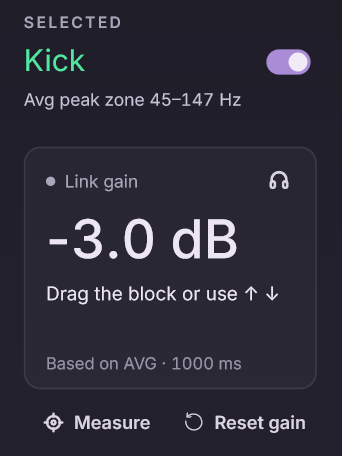
Drag a block and that track's Link gain follows. Flip to B REF to check it against the record.
Drag the block, the track follows
Each block sits at its track's peak. Drag it up or down and the Link gain on that track moves with it, from silence to +36 dB. Set the Ref line where the reference's kick sits, and a block you drag within 1.5 dB of it locks onto the line. Hold Alt to move it freely.
Re-Blocks beta. Details may change before launch.
Also in Re-Blocks
- Calibrated A/BThe reference plays at −10 dB, or at 0 dB to check a mastered track.
- Solo over the referenceDrag a block on B REF and you hear that track together with the reference.
- Spread elementsOne button lays out every linked track in its own row, so you can pick a block that hides behind others.
- Measures in timeMeasure listens for 4 bars at your project tempo, or 8 seconds without one.
- Key and BPMShown for every reference, measured in the background.
Hear one mix before and after
The same eight bars before and after the levels were set against a reference in Re-Blocks. Both play at the same loudness.
Drum & bass session
What changed
Link gainOnly levels changed. No EQ, no compression. 8 of the session's 18 tracks shown.
Spec sheet
Re-Blocks 1.0, as planned for launch.
- Plugins
- Re-Blocks on the master, Re-Blocks Link on each track
- Format
- VST3 and AU (macOS), 64-bit
- System
- Windows 11 · macOS
- Latency
- None added
- References
- WAV, AIFF, FLAC, MP3 · a loop of 10–20 s, placed where you want
- Analyzer
- 4096-point FFT, 75% overlap, 4.5 dB/oct slope
- Link
- Gain −∞ to +36 dB
- Tested in
- Ableton Live, more DAWs during the beta
What people are saying
“Re-Blocks changed my mixes by 180 degrees. Recommend for anyone who struggles with proper leveling.”
 Arcadia87 (mau5trap, Sirup)Producer · Ableton Live · House
Join Beta-Blocks
Be one of the voices that test our plugins and shape what we build next. Testers get early builds and a direct line to the team.
Questions
More on the support page, or write to hello@decentaudiotools.com.
When does Re-Blocks come out?
It's in closed beta now. You can apply to test it through Beta-Blocks, though places are limited. Join the waitlist to hear first when it launches and get it for €19 instead of €29.
Does Re-Blocks set my levels for me?
No. It shows your tracks next to the reference, and you decide where each one goes. You drag the blocks and check the result with A/B.
Which DAWs does it work in?
Any DAW that loads 64-bit VST3 plugins on Windows or macOS, and Logic Pro through the AU version on macOS. The beta covers Ableton Live, FL Studio, Cubase, Studio One, Reaper, Bitwig and Logic Pro.
Is there a Mac version?
Yes. Re-Blocks launches on Windows and macOS at the same time.
Will it change my sound?
Re-Blocks passes your master through untouched, and a Link at 0 dB changes nothing. Sound changes only when you drag a block, which moves that one track's Link gain. Neither plugin adds latency.
Is there a free trial?
Yes. At launch you can use the full version free for 7 days.
Be first to try Re-Blocks
Leave your email to hear first when it launches and get it for €19 instead of €29.